> For the complete documentation index, see [llms.txt](https://beyondllm.aiplanet.com/llms.txt). Markdown versions of documentation pages are available by appending `.md` to page URLs; this page is available as [Markdown](https://beyondllm.aiplanet.com/core-components/observability.md).
# Observability
> Note: Beyondllm are currently only supports observability for OpenAI models as of now
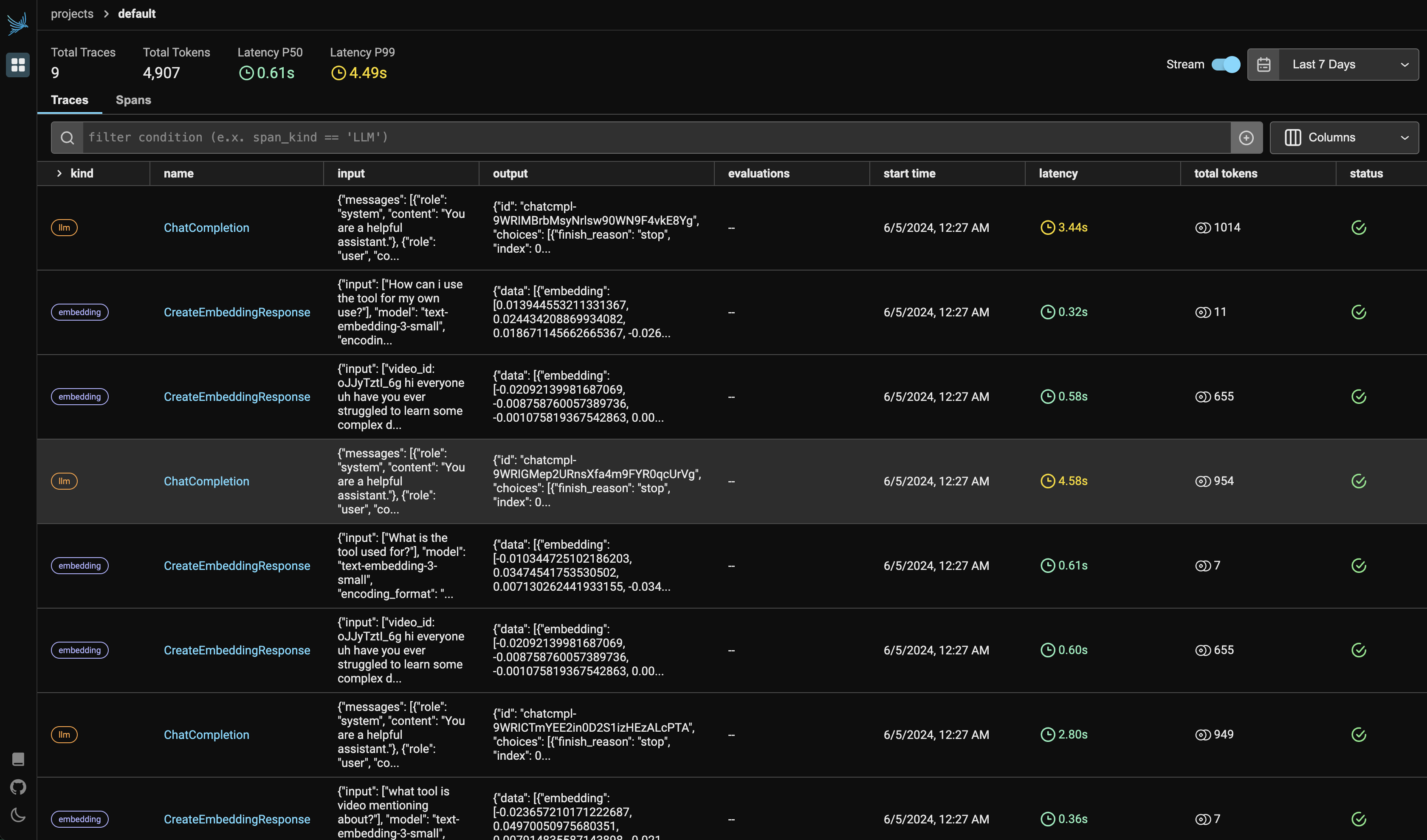
Observability is required to monitor and evaluate the performance and behaviour of your pipeline. Some key features that observability offer are:
* **Tracking metrics:** This includes things like response time, token usage and the kind of api call (embedding, llm, etc).
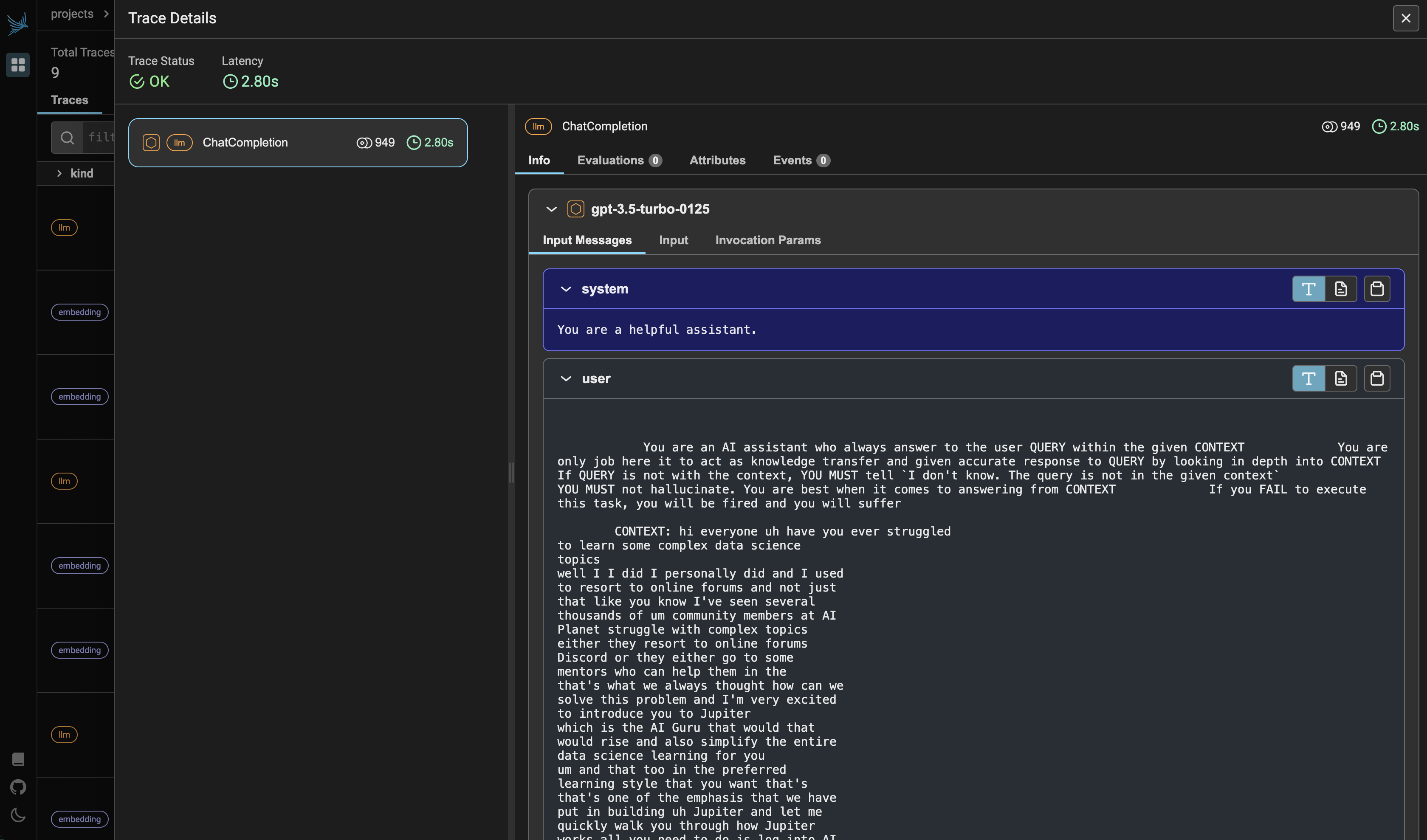
* **Analyzing input and output:** Looking at the prompts users provide and the responses the LLM generates can provide valuable insights.
Overall, LLM observability is a crucial practice for anyone developing or using large language models. It helps to ensure that these powerful tools are reliable, effective, and monitored.
Beyondllm offer observability layer with the help of [Phoenix](https://phoenix.arize.com/). We have integrated [phoenix](https://phoenix.arize.com/) within our library so you can run the dashboard with just a single command.
```python
from beyondllm import observe
```
First you import the observe module from beyondllm
```python
Observe = observe.Observer()
```
You then make an object of the observe.Observer()
```
Observe.run()
```
You then run the Observe object and Voila you have your dashboard running. Whatever api call you make will be reflected on your dashboard.
Dashboard
### Example Snippet
```python
from beyondllm import source,retrieve,generator, llms, embeddings
from beyondllm.observe import Observer
import os
os.environ['OPENAI_API_KEY'] = 'sk-****'
Observe = Observer()
Observe.run()
llm=llms.ChatOpenAIModel()
embed_model = embeddings.OpenAIEmbeddings()
data = source.fit("https://medium.aiplanet.com/introducing-beyondllm-094902a252e2",dtype="url",chunk_size=512,chunk_overlap=50)
retriever = retrieve.auto_retriever(data,embed_model,type="normal",top_k=4)
pipeline = generator.Generate(question="why use BeyondLLM?",retriever=retriever, llm=llm)
```